
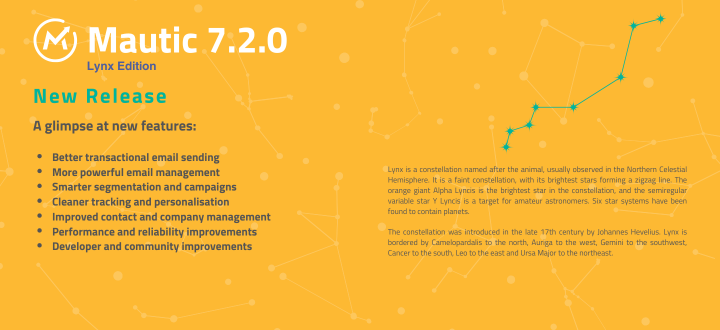
Today we make available the second minor release in the 7.x series, which includes features and improvements for both developers and marketers, in addition to bug fixes. Welcome to the 7.2 updates!
Here are the details of the features, enhancements, and bug fixes. For more information and a full list of changes please refer to the Release Notes.
New features
End-user facing changes
Truly transactional emails
This release introduces an improved, dedicated way to send truly transactional emails – messages like password resets and receipts that bypass marketing suppression rules instead of being treated like a newsletter send. (https://github.com/mautic/mautic/pull/15995)
Tokens in the From email address and name
You can now personalize who an email appears to come from dynamically, using tokens in both the From address and From name fields, rather than being locked into a single hardcoded sender identity. (https://github.com/mautic/mautic/pull/16060)
Clone emails with translations and variants
Cloning an email now carries over its translations and A/B test variants automatically, so duplicating a multi-language or multivariate email no longer means rebuilding those pieces from scratch. (https://github.com/mautic/mautic/pull/16131)
A/B testing for segment emails
You can now convert segment emails which haven’t yet been sent into an A/B test email. (https://github.com/mautic/mautic/pull/15897)
A more capable Mautic Marketplace
The Mautic Marketplace has had a big overhaul and sits in its own application. It now uses a new Marketplace API, and includes displays ratings and reviews supplied by the public Marketplace. Reviews are handled on the public Marketplace website, keeping the Mautic interface focused on browsing and installing packages. Mauticians can log in using their Mautic Community login, used across all web assets (forum, community portal, website).
The overhaul also adds support for installing and removing mautic-resource campaign packages. Users can share campaigns with the Marketplace directly from Mautic, including the campaign description, images, version, vendor information, and pricing details. (https://github.com/mautic/mautic/pull/15904)
This project was in two parts, both funded by NLNet. The first part involved enabling the export and import of all resources in Mautic, and the second part focused on enabling the creation of a ‘Campaign Library’, extending our existing work on the Mautic Marketplace.
We are very grateful for all the support from NLNet to date, without which these important developments wouldn’t have taken place.
The final phase of this project, which will be led by volunteers, will see the marketplace within Mautic itself being updated to apply the new design and user interface layout from the external application, and finally emerging from its beta state. If you want to help with that, or just to cheer along the team who have worked so hard to bring this work to fruition, see #i-mautic-marketplace on Slack.
Invite users by email
Administrators can now invite new users to a Mautic instance by email. The recipient can follow the invitation link, complete registration, and access the instance with the assigned account. (https://github.com/mautic/mautic/pull/15401)
Send sample email direct from email list
Now, if you want to send a sample email you can do it directly from the email list, rather than having to open the email itself. (https://github.com/mautic/mautic/pull/16871)
MMS and token support
It’s now possible to send MMS through Mautic, including images or external URLs with an image, making a traditional SMS into an MMS. (https://github.com/mautic/mautic/pull/15999)
Improved bot detection
Mautic now integrates the matomo-org/device-detector library for bot identification, building on the bot-blocking improvements introduced in 7.1. The result is cleaner analytics and more accurate visitor tracking. (https://github.com/mautic/mautic/pull/15870)
Global defaults for preference center and UTM parameters
New global defaults for preference center pages and UTM tracking parameters cut down on repetitive configuration across campaigns and channels. (https://github.com/mautic/mautic/pull/15905)
Relative date filters down to the hour
Segment filters now support relative date ranges down to the hour, not just full days, which is handy for time-sensitive automations and more precise audience targeting. (https://github.com/mautic/mautic/pull/16135)
Segment deletion safeguard
Segments that are actively used in a campaign can no longer be accidentally deleted, preventing a class of campaign-breaking mistakes. (https://github.com/mautic/mautic/pull/16013)
Contact tag improvements
Contact tags can now be deleted even when they’re assigned to contacts, and pressing Enter (alongside Escape) creates new tags faster in the tagging UI. (https://github.com/mautic/mautic/pull/16132, https://github.com/mautic/mautic/pull/16108)
Intuitive contact timeline grouping
The contact timeline received a readability review with more intuitive date grouping, making it easier to scan a contact’s history at a glance. (https://github.com/mautic/mautic/pull/15329)
Browser-based timezone detection
Mautic now sets your timezone from the browser first, instead of guessing it from the server, so new installs and user accounts default to the correct time zone automatically. (https://github.com/mautic/mautic/pull/12751)
New menu item to support Mautic 💖
A new menu item makes it easier to support Mautic directly from within the app, giving the community a simple, visible way to contribute to the project. Learn why community support is especially important right now. (https://github.com/mautic/mautic/pull/16337)
Import performance improvements
Import memory and time were reduced by caching default field metadata, cutting down on repeated lookups during large contact imports. (https://github.com/mautic/mautic/pull/15959)
Segment query optimization
The query used to exclude segments was optimized to avoid full table scans, keeping large contact databases responsive. (https://github.com/mautic/mautic/pull/15950)
Dashboard widget fix
A fix resolves a timeout issue that caused the “Upcoming Emails” widget to fail loading on the dashboard. (https://github.com/mautic/mautic/pull/16101)
Duplicate report send prevention
Duplicate report sends are now prevented, closing a gap where the same scheduled report could go out twice. (https://github.com/mautic/mautic/pull/16077)
GrapesJS and MJML builder improvements
The GrapesJS/MJML email builder picked up SVG image support in the image selector, entity token labels inside CKEditor, and better theme styling applied to MJML blocks. (https://github.com/mautic/mautic/pull/15954, https://github.com/mautic/mautic/pull/15855, https://github.com/mautic/mautic/pull/16042, https://github.com/mautic/mautic/pull/16403)
Company list settings
Companies got new list settings for more control over how company records are displayed. (https://github.com/mautic/mautic/pull/16072)
Developer-facing changes
Configurable campaign event cache TTL
The cache TTL for campaign events is now configurable, giving admins more control over performance tuning on large campaigns. (https://github.com/mautic/mautic/pull/16110)
Extensive refactoring under the hood
Mautic 7.2.0 includes 322 pull requests labelled as refactoring. Together, these changes modernize services across multiple bundles, strengthen type coverage, simplify dependency injection, and make the codebase easier to maintain.
The Clearbit plugin was migrated away from the deprecated AbstractIntegration class and onto the newer integrations architecture. (#16586)
A broader cleanup also finalized utility, event, form type, exception, bundle, and compiler pass classes across the codebase. (#16752, #16753, #16754, #16755, #16756)
This release also includes dependency updates for PHPSpreadsheet (#16063, #16731) and elFinder (#16040, #16094, #17210). The JS Cookie library has also been replaced with native JavaScript. (#16161)
For the complete technical breakdown, read the Mautic 7.2.0 release notes.
Upgrading
If you’re running Mautic today, the usual advice applies: back up first (and test your backup works), review the changelog for anything that touches your customizations, and test in staging before rolling 7.2 out to your live instance.
As always, a huge thank you to everyone in the community who contributed code, testing, reviews, and feedback to get Lynx Edition over the line. Questions or issues? Join the conversation in #mautic-7 on Slack, or file a bug on GitHub.