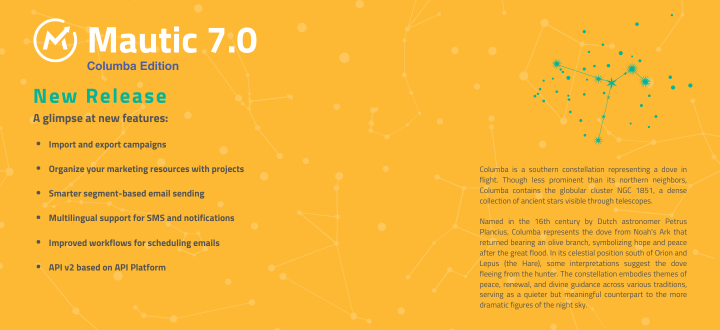
Today we’ve released Mautic 7.0: Columba Edition. It’s here.
This is a full term release with a four-year support cycle – one year active, one year security, two years Extended Long Term Support. Read more about our release strategy.
Check out the full release notes. Here’s what matters.
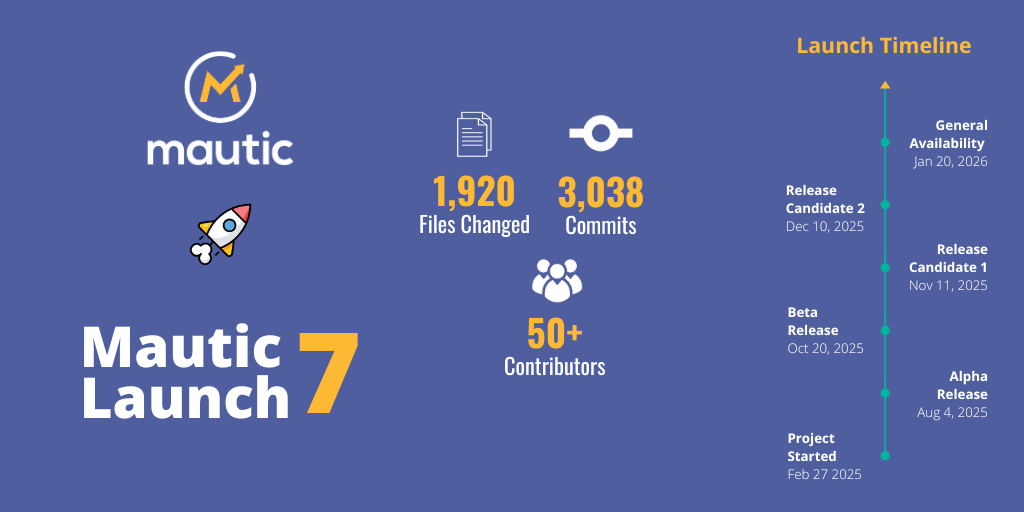
Thank you
It takes a village to ship a release.
A huge thank you to everybody who contributed code, tested and reviewed contributions, created imagery, wrote content, managed social media, and updated documentation. Every contribution – code or no-code – helped get Mautic 7 over the line.
The Mautic Community is the foundation of our progress. This release exists because of you.
Marketer-facing changes
Projects: Keep your campaigns organised
As campaigns grow, organisation matters. Projects in Mautic 7 help teams manage all related resources under a single, logical structure.
Group emails, landing pages, forms, and assets that belong together. Keep multi-channel initiatives aligned. Reduce duplication across campaigns.
Projects give teams a shared structure without limiting flexibility.
This means:
- Different product lines? Projects have you covered.
- Multiple organizational units? Projects have you covered.
- Significantly differing seasonal campaign themes? You guessed it: Projects have you covered.
Campaign import and export
Columbia, aka Mautic 7, introduces the ability to import and export campaigns together with their related assets.
Move complete campaign setups between environments without rebuilding them manually. Migrate from development to staging to production with confidence. Reuse proven campaign frameworks across teams or regions.
An ideal step up for organisations of any scale. This feature was funded by the NLNet Foundation.
Smarter segment-based sending
Segment emails can now adapt to audience growth in real time. Choose whether to continue sending to contacts as they enter a segment, or lock the audience to those present when sending begins.
More control. Better predictability. Clearer intent for time-sensitive campaigns.
Preview and scheduling improvements
- Text message previews optimised for quick, on-the-go review
- Web notification previews that make design validation simpler and more visual
- Email scheduling now lives on the email detail page – easier to review, adjust, and launch without context switching
Less guesswork before you publish.
Developer-facing changes
A modern API at /api/v2
API Platform brings a cleaner, more consistent interface – built for what’s next.
- Autogenerated, interactive documentation – test and discover responses right in the docs
- More consistent, discoverable endpoints
- Better alignment with modern API standards
- Stronger support for headless use cases, integrations, and custom applications
A better foundation for building on Mautic.
Infrastructure flexibility
- Database caching can now be replaced with Redis or similar services, improving performance for larger installations
- Multiple mailer DSNs can be defined for more flexible email infrastructure
- Project events allow plugins and bundles to map their own entities into the Projects bundle
Under the hood
Mautic 7 brings support for Symfony 7.3 and PHP 8.4. We’ve updated many outdated dependencies and removed a vast amount of legacy code.
The result: a cleaner, more modern core that’s easier to extend and maintain.
For details on changes that may affect custom code, review the UPGRADE-7.0.md file.
Before you upgrade
Mautic 7 includes changes that may affect your setup. Here’s what to check:
PHP version: Mautic 7 requires PHP 8.2 or higher. PHP 8.1 is no longer supported.
No more UI updates: We removed manual updates through the Mautic interface. Use Composer or download the release package directly.
What we removed:
- AMQP queue support
- The API rate limiter (unmaintained library)
- The “Identify visitor by tracking URL” configuration option
Review the UPGRADE-7.0.md file for the full list of breaking changes before upgrading.
Get started
Ready to explore Mautic 7?