
Marketing automation may look complex, but it still begins with a very human habit, putting similar people together so you can speak to them appropriately.
In Mautic, this habit shows up as Segments. A Segment is a group of Contacts connected by shared data, behavior, or timing. Once created, that group can be used across Emails, Campaigns, and reporting. Almost every action in Mautic depends on deciding which Contacts belong together first.
Segments matter because they give automation its structure. Without them, Campaigns have no boundaries and Emails have no audience. With them, every action knows who it is meant for.
What a Segment really does inside Mautic
A Segment quietly answers a single question that appears everywhere in marketing automation, who does this apply to right now?
Inside Mautic, a Dynamic Segment acts less like a static list and more like a living filter. It continuously evaluates Contacts against the rules you define and updates membership as data changes. When a Contact no longer matches the criteria, they simply fall out of the Segment without manual cleanup. This is what keeps contact lists accurate over time and prevents outdated assumptions from driving automation.
When Segments are designed clearly, automation stops feeling unpredictable and starts feeling intentional.
Static and Dynamic Segments in everyday use
In practice, Segments in Mautic reflect two very familiar ways teams manage contact lists.
Static Segments
Static Segments behave like traditional lists. Contacts are added deliberately and remain part of the Segment until someone removes them. There are no rules constantly rechecking eligibility in the background.
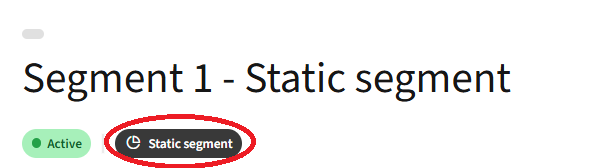
These Segments work best for lists that represent a decision already made, such as event attendees, partner shared contacts, or sales selected accounts. Once a Contact belongs, they stay unless an explicit action changes that.
Static Segments give teams certainty. They are predictable, stable, and easy to reason about, which is why they often mirror lists that once lived in spreadsheets or CRMs.
Dynamic Segments
Dynamic Segments are rule driven. You set the rules once, and Mautic keeps the Segment up to date automatically.
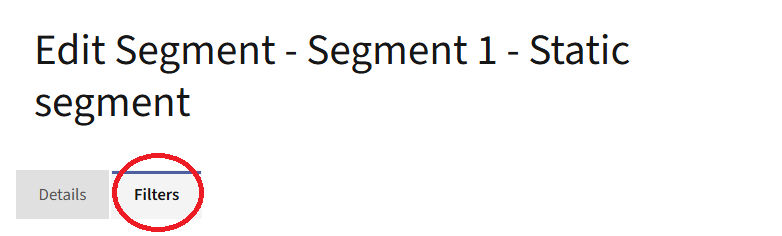
Once a filter is added, the Segment becomes dynamic. Membership is no longer controlled by manual actions, but by whether a Contact currently matches the defined conditions.
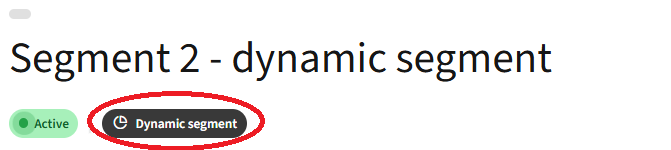
Contacts are continuously evaluated against these filters as their data, activity, or timing changes. When a Contact matches the criteria, they enter the Segment automatically. When they no longer match, they leave just as quietly, without the need for any manual cleanup.
Dynamic Segments are ideal for anything that should stay accurate over time, such as recent engagement, lifecycle stages, or behavior based groupings. They prevent outdated assumptions from driving automation by ensuring the list always reflects what is true right now.
A simple distinction helps here. If a list would normally live in a spreadsheet and stay mostly unchanged, a static Segment fits best. If the list should update itself as Contact data or behavior changes, adding filters and letting the Segment run dynamically is the better approach.
How Contacts move into Segments
Contacts enter Segments in two different ways, depending on the type of Segment involved.
For Static Segments, entry is always intentional. Contacts are added through deliberate actions such as imports, manual updates, or sales driven cleanup. Campaigns can also place Contacts into or remove them from static Segments once specific conditions are met. Forms may add Contacts directly to a static Segment at submission, or trigger a Campaign that does so. In every case, something explicitly moves the Contact.
Dynamic Segments work differently. Rather than being manually added or removed, Contacts appear in a dynamic Segment when they meet the defined rules and disappear when they no longer do. A Contact submits a form updating a contact field which then matches the criteria, visits a specific page, reaches a point threshold, or matches a timing condition, and the Segment updates itself automatically during its next evaluation cycle.
This distinction introduces an important shift in thinking. Not all Segments describe who a Contact is. Some describe what a Contact is doing right now or how interested they appear to be.
Using time as part of Segmentation
Segments become especially powerful when time enters the picture.
In Mautic, Segments can use relative dates such as today, last week, or three months ago. This allows you to group Contacts based on recency or upcoming events without maintaining external lists. As time passes, Contacts naturally move in and out of these Segments, keeping communication relevant without repeated setup.
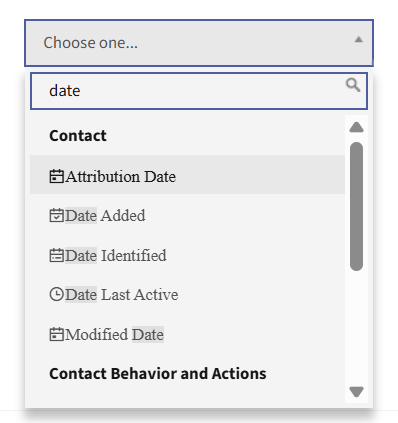
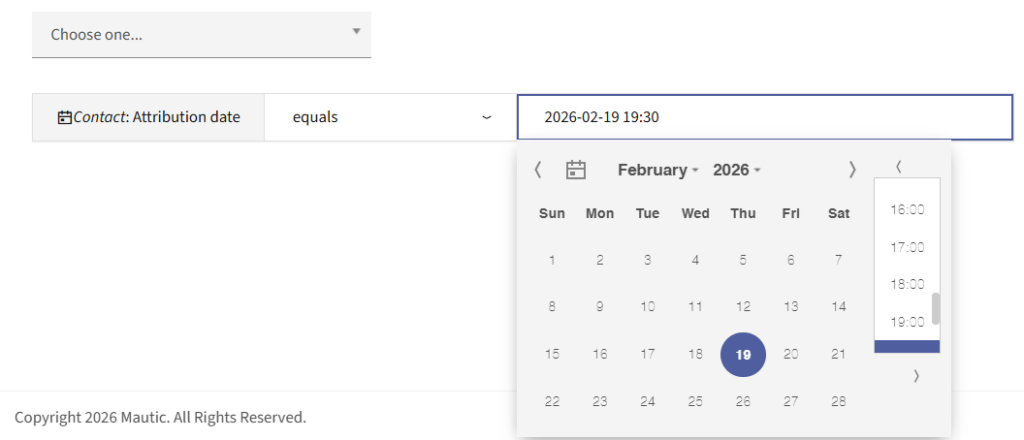
Time based Segments are commonly used to reflect moments rather than identities. A Segment might include Contacts whose birthday falls within the next 14 days, customers whose subscription expires in the coming month, or leads who have been active within the last seven days, for example. Each of these describes a temporary state that changes automatically as time moves forward.
These Segments are especially useful for timely communication. Reminder emails, renewal notices, onboarding nudges, and follow ups all depend on sending the right message at the right moment. Instead of rebuilding lists or scheduling one off campaigns, the Segment itself stays current and reliable.
Time aware Segments turn automation into something that adapts rather than expires.
Points adding intent to the Segmentation strategy
Up to this point, Segments answer the question of who belongs together. At some stage, most teams want to answer a deeper question: who is showing real interest?
This is where Points come in.Points in Mautic assign weight to Contact behavior. Opening an Email, visiting key pages, submitting forms, or remaining inactive can increase or decrease a Contact’s score over time. Instead of treating every action equally, Points create a picture of engagement that builds gradually.
In the next post of this series, we’ll dive into the power of points in Mautic. Subscribe to get notified when a new post is published
To explore and test these features in Mautic, you can download a Mautic instance or start a 14-day free trial and see them in action.
For a broader overview of how Segmentation fits into lead management, the features section on the Mautic website is also a helpful place to explore how these concepts come together in practice.